Board Blueprint Sync
Compare and align board structure safely
This page is deliberately self-contained so monday can embed it after installation. Subscription access must be verified before any board is discovered or read.
Install the app
- Install Board Blueprint Sync through the official monday installation page (opens in a new tab).
-
Review the requested permissions. They must remain exactly
boards:readandboards:write. - Authorize the intended monday account and finish installation.
- Open Board Blueprint Sync from Installed Apps and its Custom Object surface.
The current v7 feature is a Custom Object, not a Board View. Open the installed app's Custom Object surface. Installation does not authorize automatic board changes; every supported addition requires review and separate confirmation.
Before you start
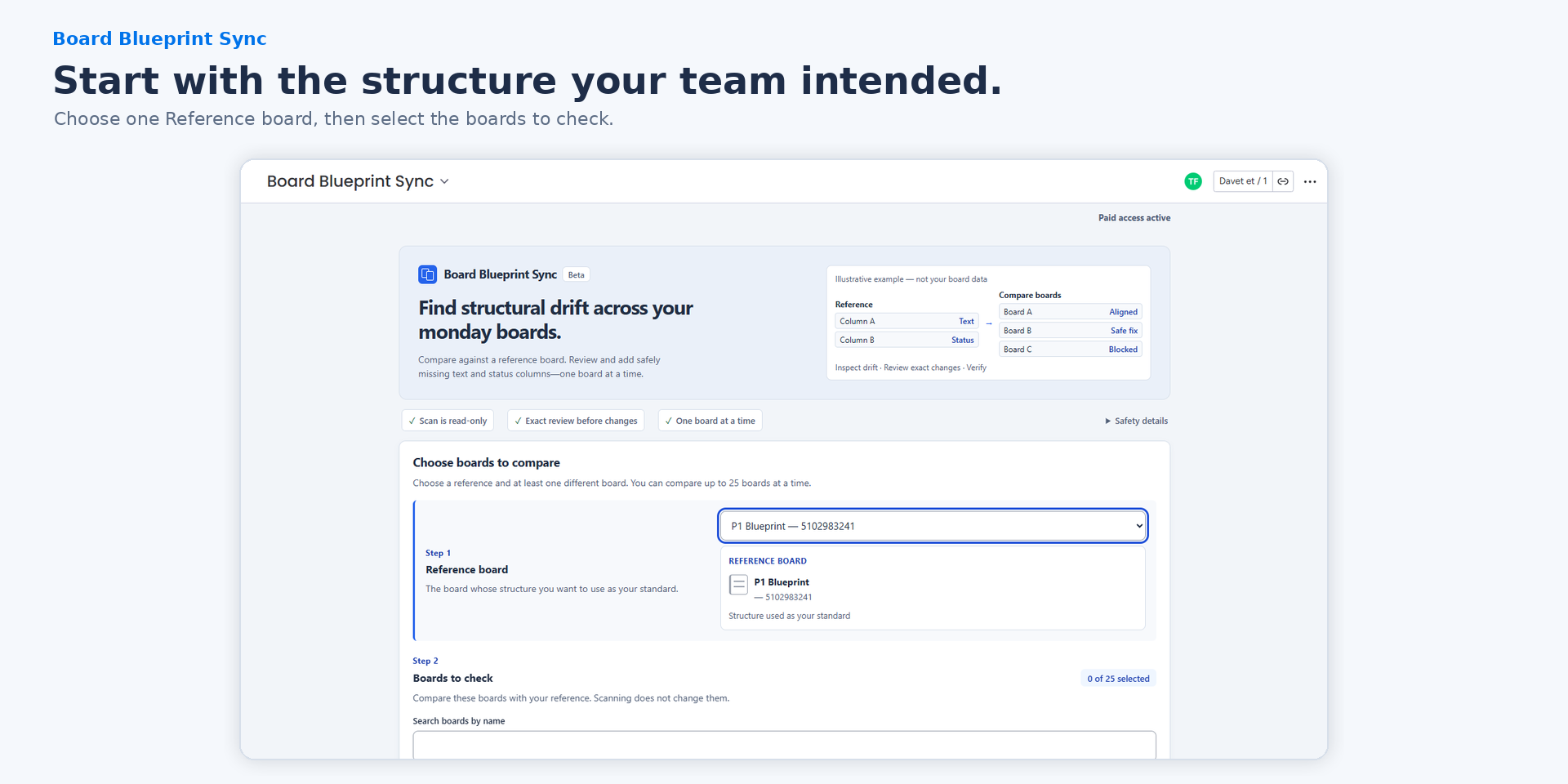
- Use one classic board as the Reference.
- Select 1–25 different classic boards to check.
- You need readable access to compare and edit access to apply an addition.
- Only missing Text and Status columns can be added.
- Trial and paid access use the same current product capabilities.
If access cannot be verified
Expired, unsupported, or unverifiable subscription state blocks board discovery and changes. Use the displayed plan or retry action only; do not provide a token or try to bypass the access check.
Run a comparison
- Select the Reference board.
- Search for and select Boards to check.
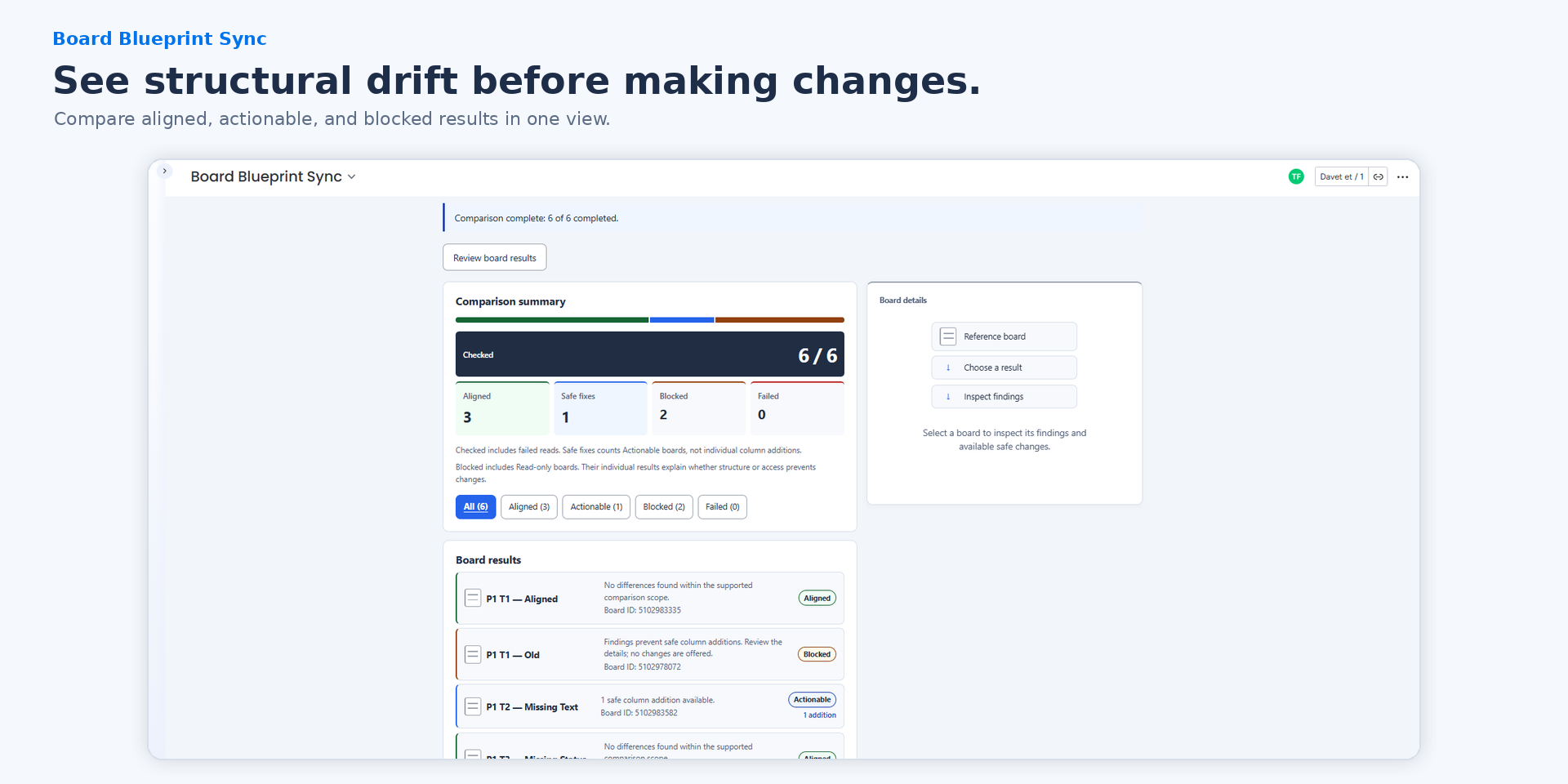
- Choose Compare selected boards to run a read-only structural scan.
- Review each independent Aligned, Actionable, Blocked, Read-only, or Failed result.
Unsupported structural findings remain visible under Blocked boards and never provide a supported write path.
Review one safe change
- Open one Actionable board.
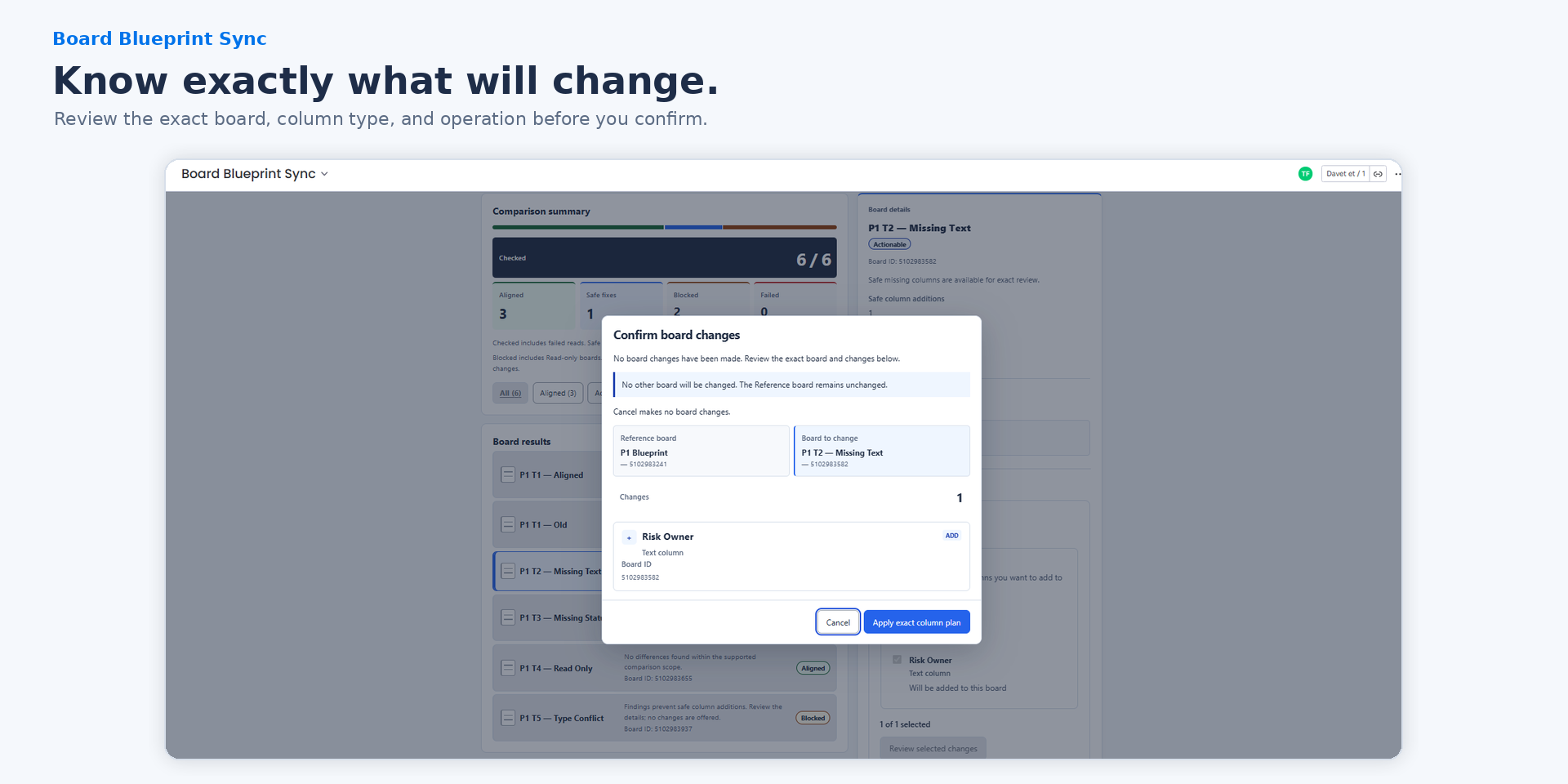
- Select only the additions you intend to make.
- Review the exact Reference, target board, operations, and Status settings.
- Continue to the separate confirmation and confirm only when every detail is correct.
Understand the result
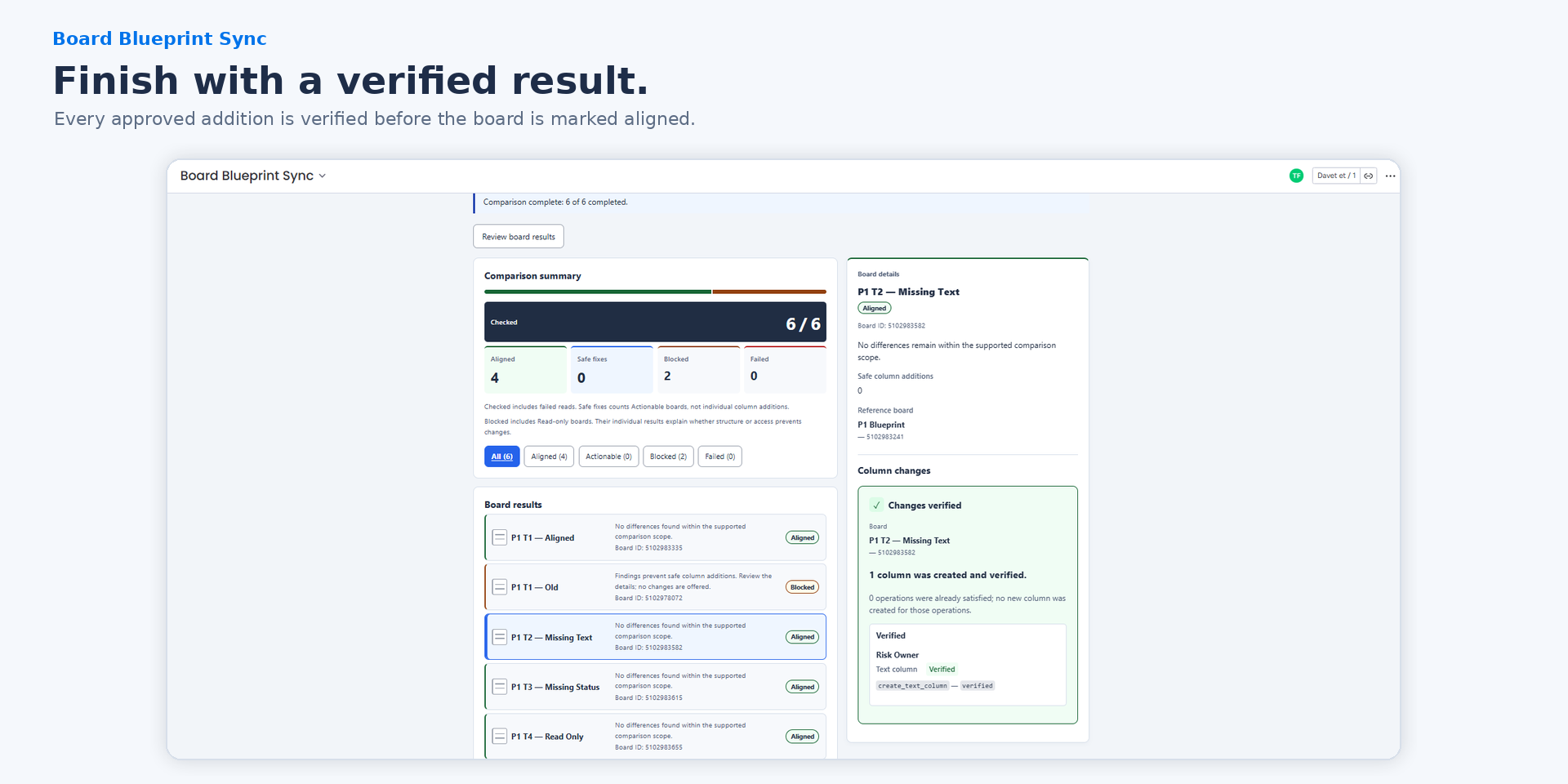
A verified result means the approved column was created and a fresh read confirmed it. “Already satisfied” means no new write was needed. If an outcome is uncertain, do not retry the old plan; perform a fresh comparison first.
Support: support@boardblueprintsync.com. Cloudflare Email Routing is owner-configured; independent delivery verification is not recorded. Never send tokens, raw API payloads, private board contents, or console/HAR exports.
Product walkthrough images
Product overview video
This promo is composed from current-candidate product screenshots, not live-motion capture. Choose a Reference, compare boards, review differences, confirm one exact plan, and inspect the verified result. The images and instructions above provide the workflow in text.